
Elucid
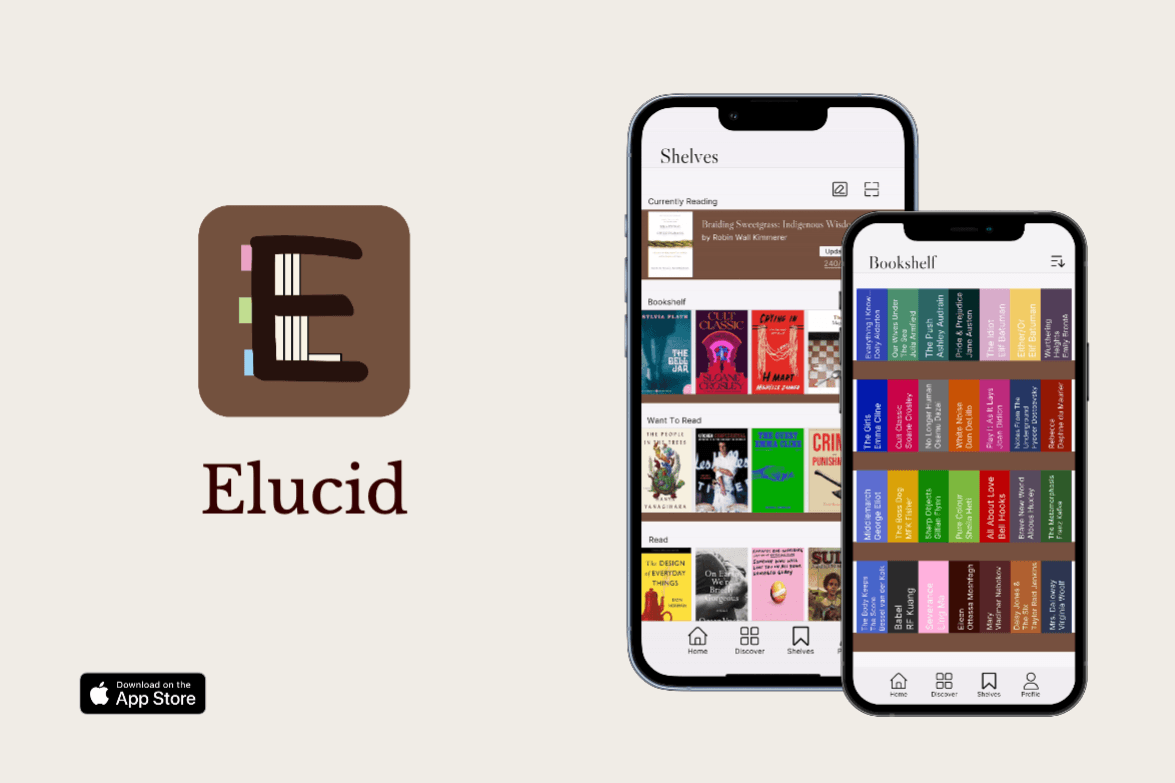
Enhancing the book tracking and reading experience through immersive digital and AR features.
Role(s)
Concept
Design
Development
Duration
3 months
Feb-April 2024
Tools
Figma
Adobe Illustrator
Unity
XCode
The objective aims to address the most common issues that arise with a growing list of books while differentiating itself by leveraging technology to provide users with an immersive and personalized reading experience.
Digital bookshelf
Comprehensive book tracking
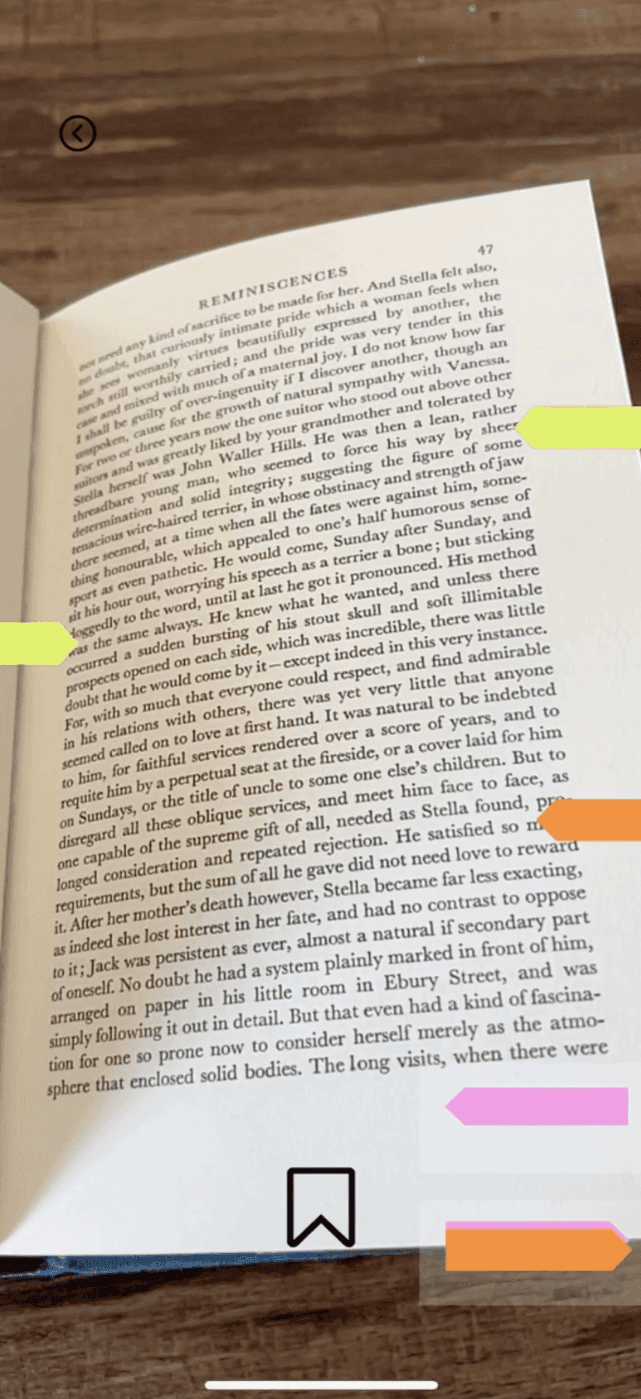
Augmented reality-based annotation capabilities

I found myself thinking "I wish I could see what's already on my shelf right now" when I would go into bookstores instead of scrolling through long TBR lists or wanting to annotate my books but without ruining my physical copies.
The result was successfully building an MVP onto my personal phone for the first time with no prior experience with Unity or XCode.
INTERACTIVE TOUCHPOINTS
Hover to view interactions.
DISCOVERY
What are the opportunities?
COMPETITIVE ANALYSIS
As an avid GoodReads user I conducted research into what other options existed, and what unique features they include. This helped me brainstorm ideas of what could be missing.

GoodReads
Large community and book giveaways

Fable
E-book reader
Reading habits with streaks and reminders

TBR
Reading goals styled as a bookshelf
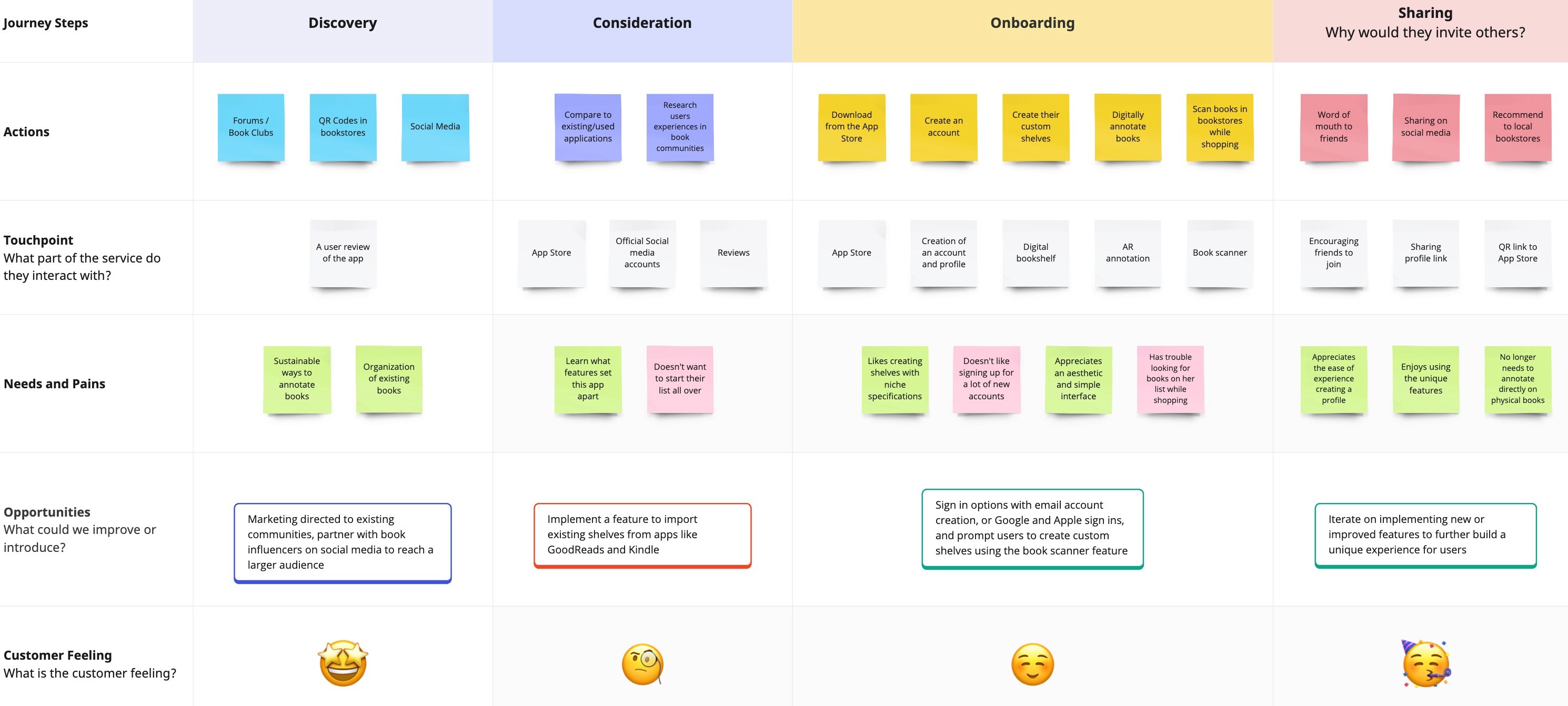
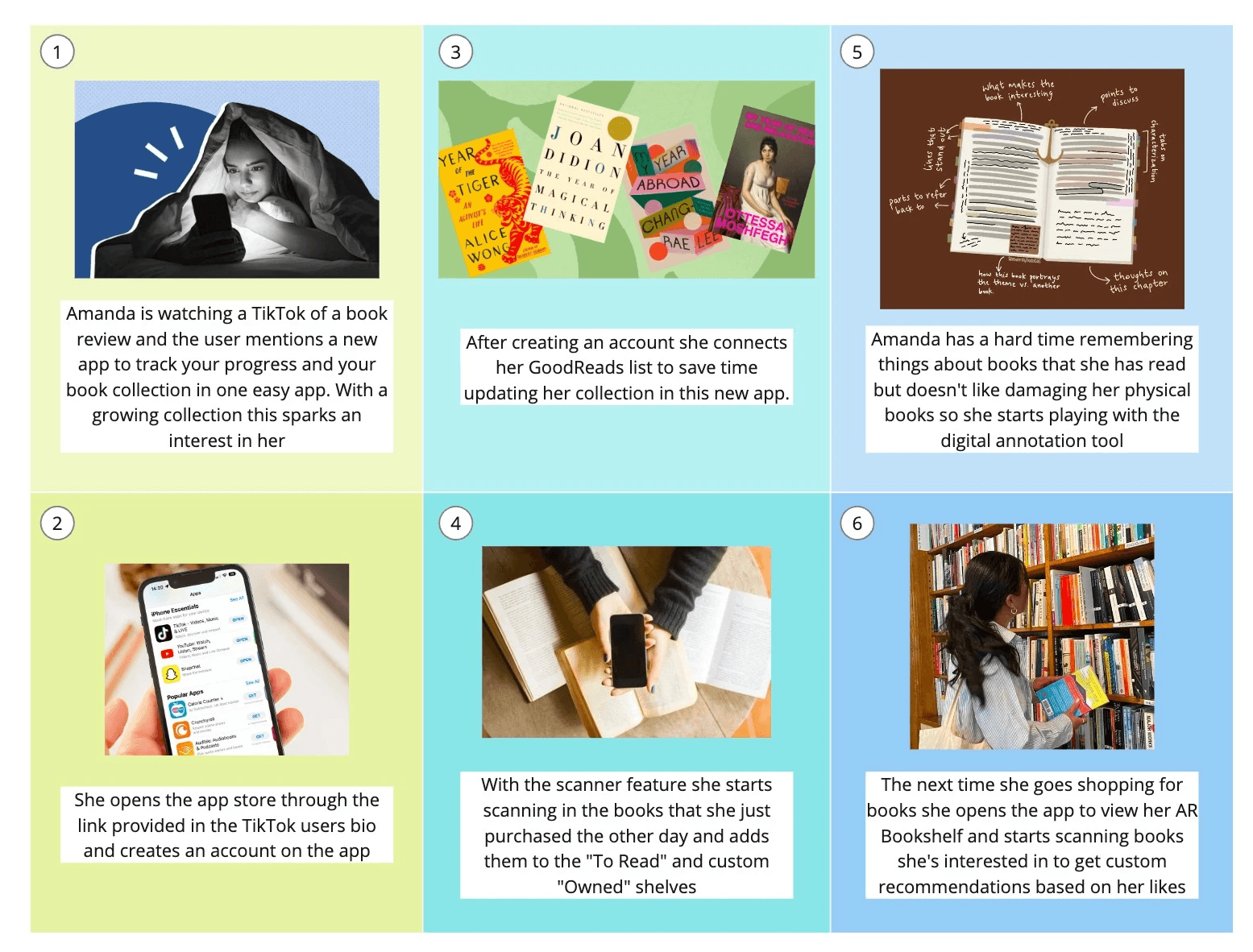
I used my own experience and pain points using other popular book tracking apps to create the journey map and storyboard.
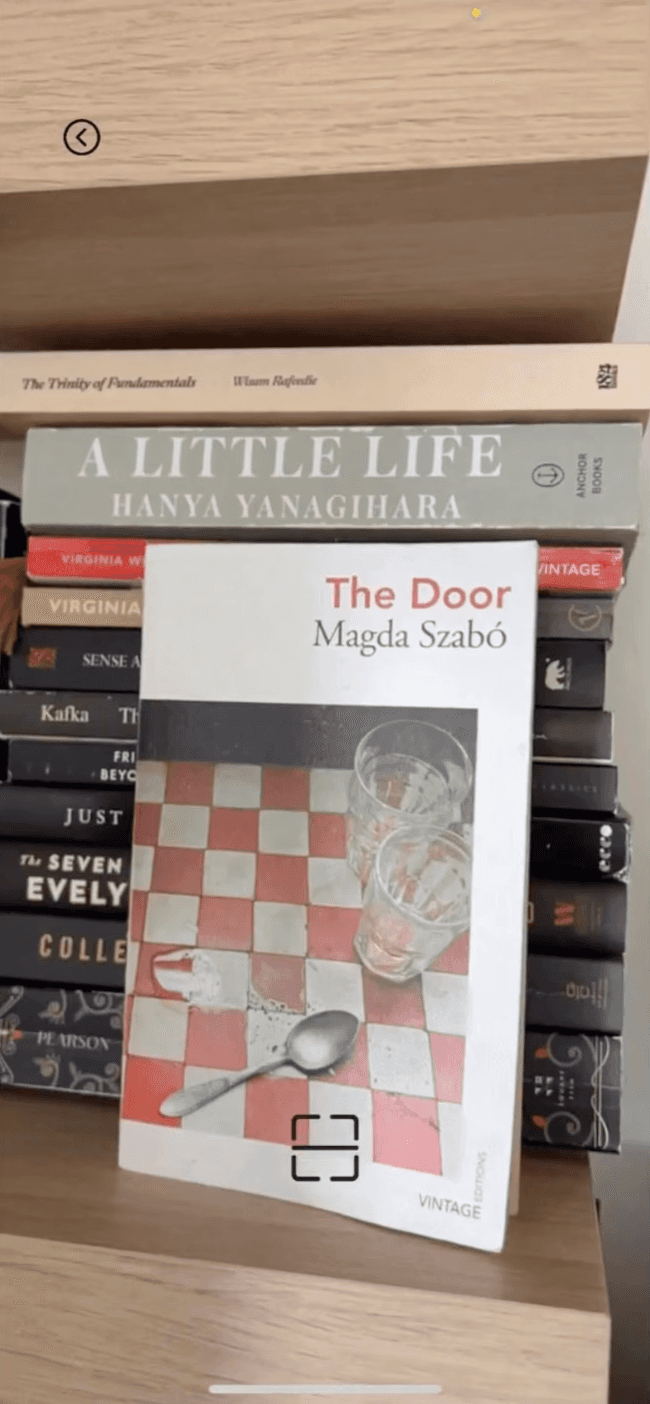
This is where I landed on implementing features such as the book scanner and digital annotation.
BRAND GUIDE
What does Elucid feel like?
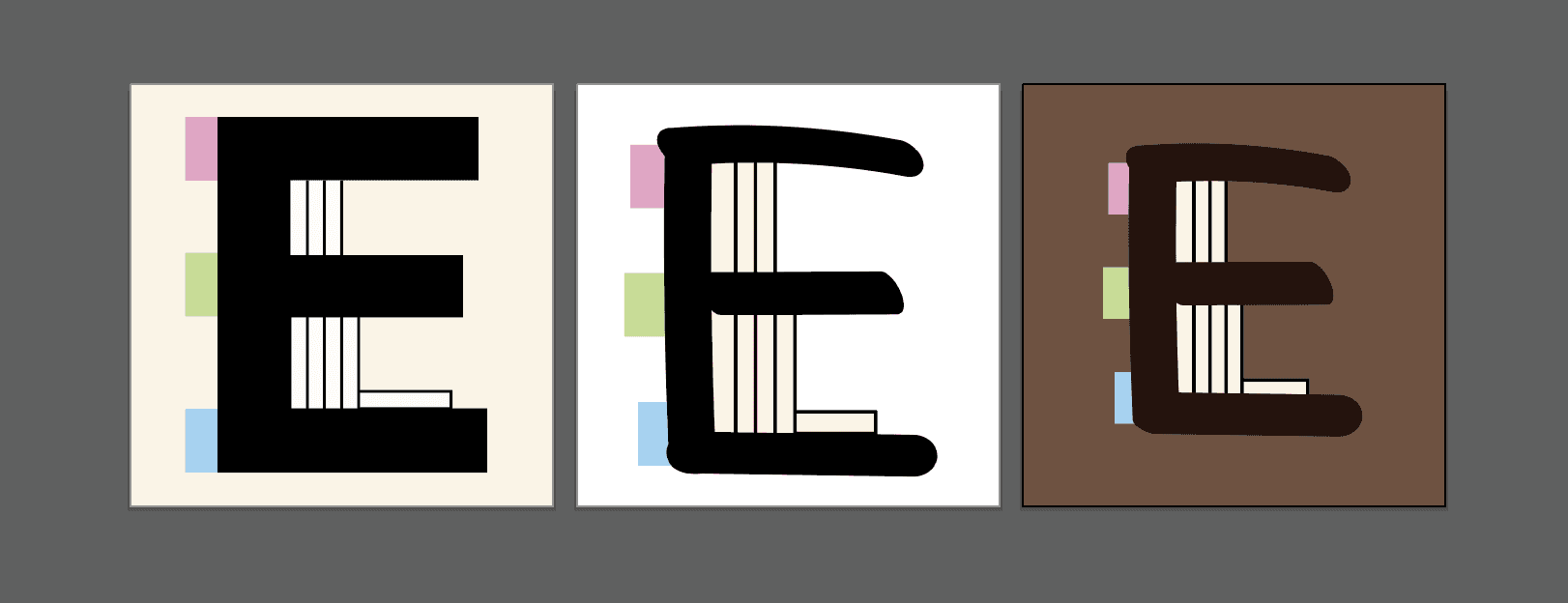
Too clunky
Freehand
drawn "E"
Final :)
LOGO ITERATIONS
The E from "Elucid" was used to create a bookshelf similar to the one I have in my space. The shelf and bookmark tabs are to represent the key features and add visual interest.
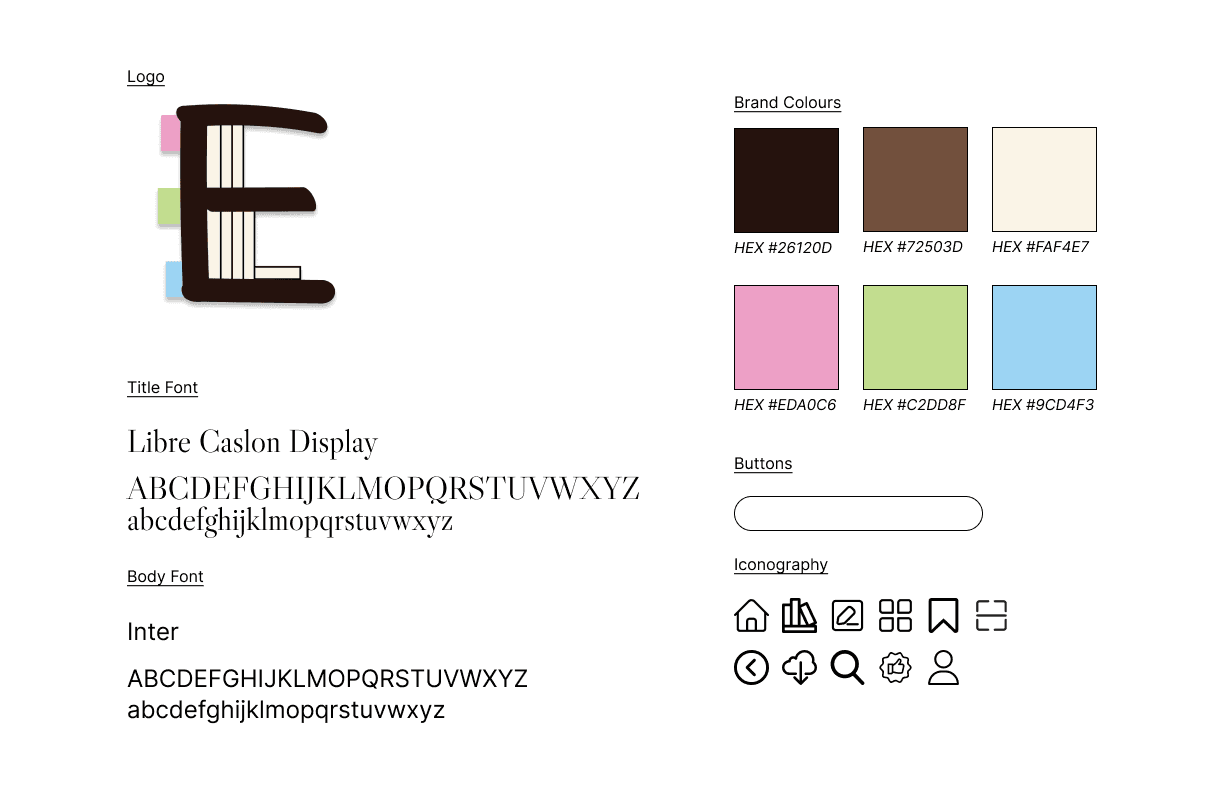
Serif inspired by classic literature prints
Clean and legible for larger bodies of text
#26120D #72503D
Neutral browns resembling vintage hardcover books
#EDA0C6 #C2DD8F #9CD4F3
Pastel post-it note colours
Rounded buttons and iconography to reflect the logo
WIREFRAMING
What does Elucid look like?
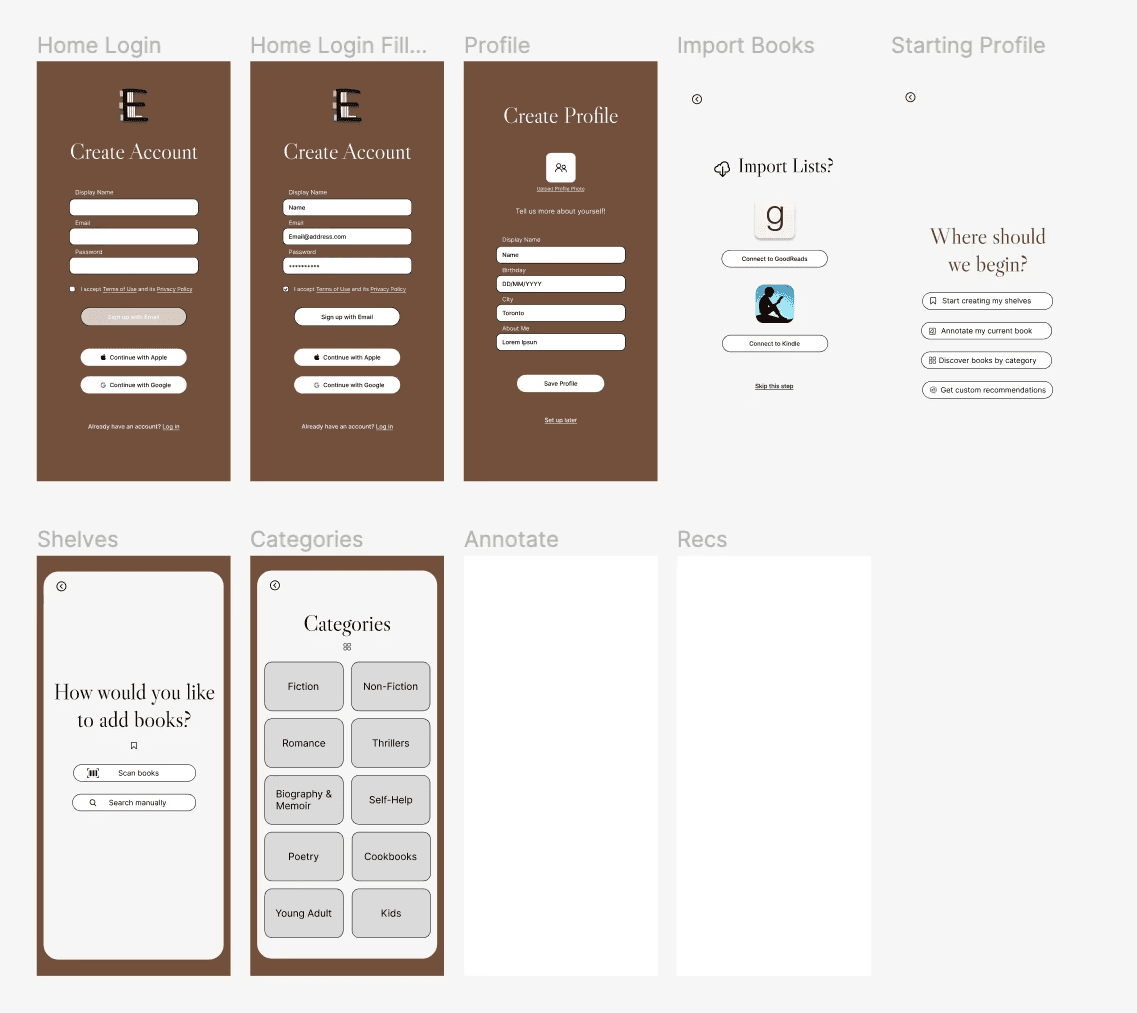
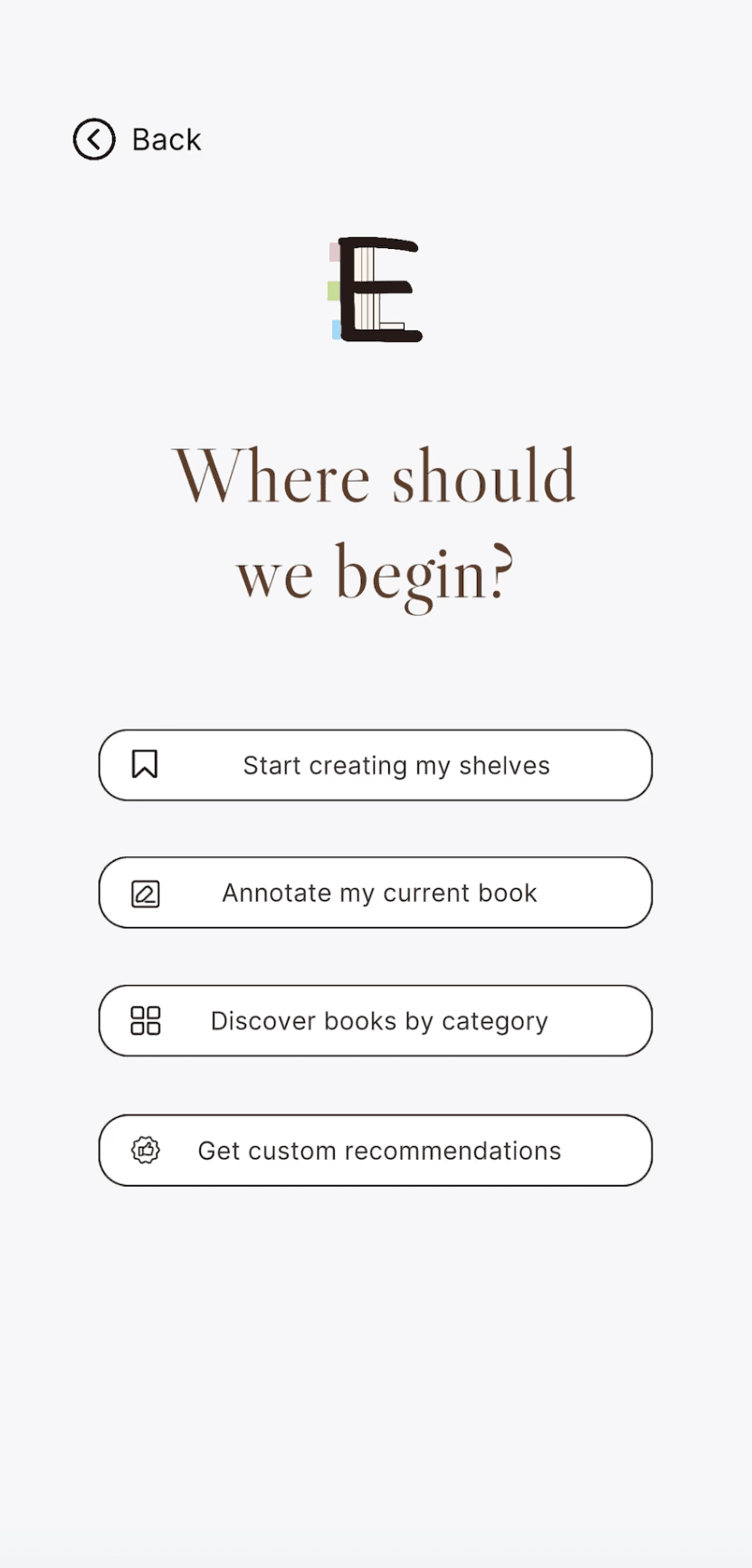
Figma was used for preliminary wireframing and designing of landing pages. I wanted the UI to be simple but the onboarding to be impactful for an easy transition to get started.
Assets such as buttons were created and iterated to assist with bringing them into Unity to customize the Unity UI assests.
UNITY BREAKDOWN
How does Elucid function?
SCENE NAVIGATION
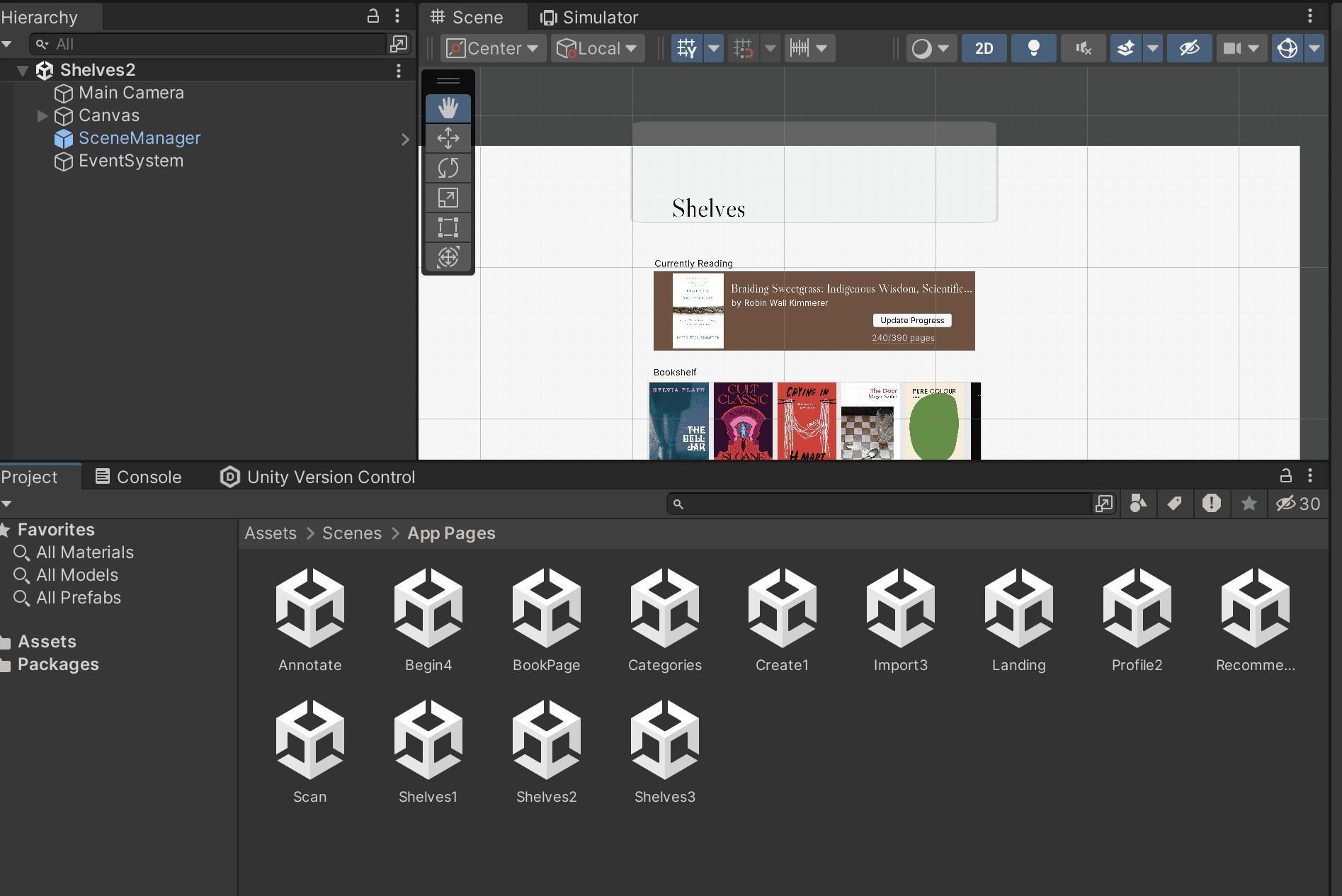
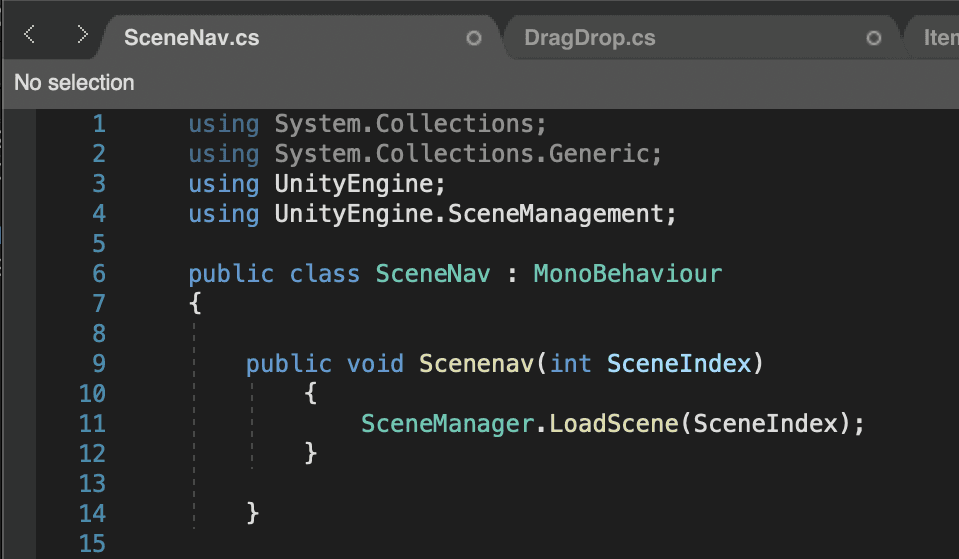
To make the interface interactive I began with creating scenes that were added to the build settings and referenced in the C# scene navigation script.
On Click events with a SceneManager script guiding users through the UI.
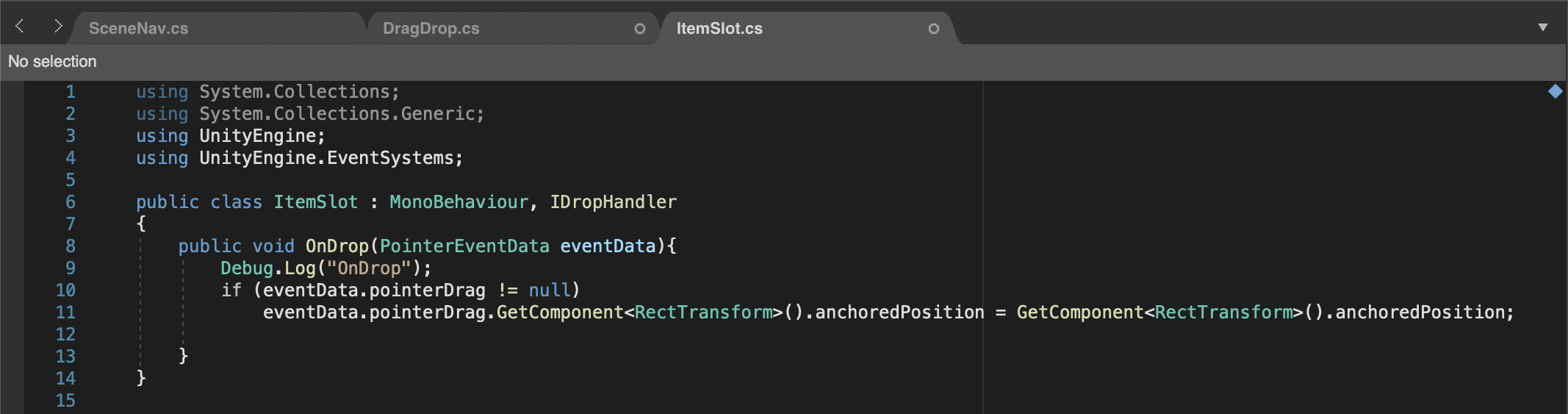

ANNOTATION
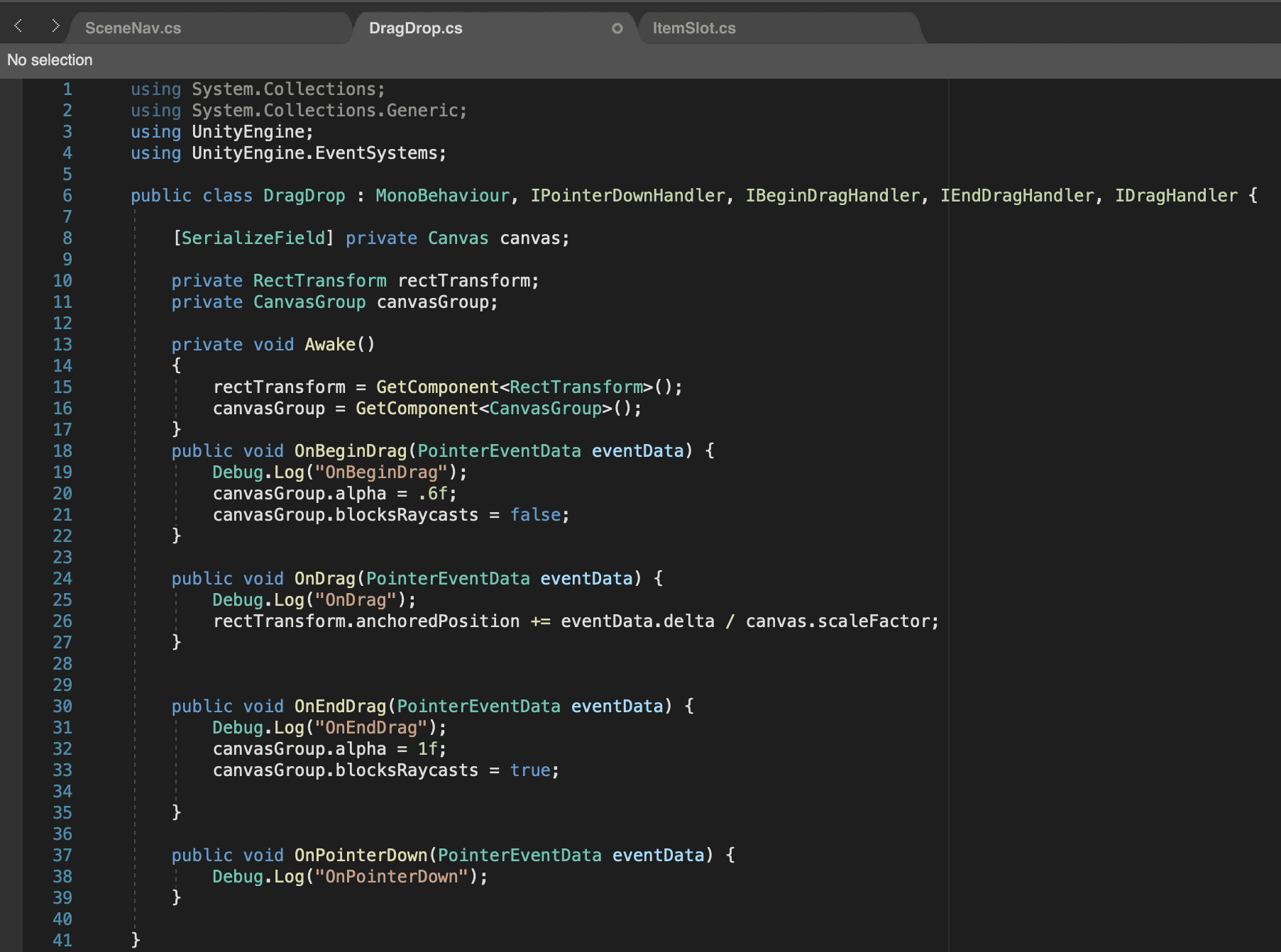
DragDrop script using PointerEventData to drag tabs around the Canvas.
ItemSlot script to anchor tabs back to their placement when removed from Canvas.
ANNOTATION
DragDrop script using PointerEventData to drag tabs around the Canvas.
ItemSlot script to anchor tabs back to their placement when removed from Canvas.
The Unity project was built for iOS using ARKit and ran in XCode multiple times to make iterations, and to verify the UI and AR elements were correctly responsive in the application running on my phone.

FINAL DELIVERY
REFLECTION
This project was my first time using Unity, as well as using C# to program. Though it's similar to programs I’ve previously used such as Maya or SparkAR it was a process, but with my interest in UX/UI I was excited to be able to have an MVP on my own phone that I created myself.
CHALLENGES
The main issue I ran into was finding resources to create exactly what I wanted with the augmented reality elements for my application. This was a cause of unclear documentation, outdated/phased out tutorials, and building in a different Unity version than tutorials I found.
TAKEAWAYS
Through trial and error and countless attempts, I was unsuccessful in creating an effective scanner with the Image Reference Library to scan book covers or using the Line Renderer to have the ability to write directly on your screen to annotate books. In the future these are iterations that I would love to build on so the application feels well rounded in its unique features.
Elucid
Enhancing the book tracking and reading experience through immersive digital and AR features.
Role(s)
Concept
Design
Development
Duration
3 months
Feb-April 2024
Tools
Figma
Adobe Illustrator
Unity
XCode
The objective aims to address the most common issues that arise with a growing list of books while differentiating itself by leveraging technology to provide users with an immersive and personalized reading experience.
Digital bookshelf
Comprehensive book tracking
Augmented reality-based annotation capabilities
I found myself thinking "I wish I could see what's already on my shelf right now" when I would go into bookstores instead of scrolling through long TBR lists or wanting to annotate my books but without ruining my physical copies.
The result was successfully building an MVP onto my personal phone for the first time with no prior experience with Unity or XCode.
INTERACTIVE TOUCHPOINTS
Hover to view interactions.
DISCOVERY
What are the opportunities?
COMPETITIVE ANALYSIS
As an avid GoodReads user I conducted research into what other options existed, and what unique features they include. This helped me brainstorm ideas of what could be missing.
GoodReads
Large community and book giveaways
Fable
E-book reader
Reading habits with streaks and reminders
TBR
Reading goals styled as a bookshelf
I used my own experience and pain points using other popular book tracking apps to create the journey map and storyboard.
This is where I landed on implementing features such as the book scanner and digital annotation.
BRAND GUIDE
What does Elucid feel like?
Too clunky
Freehand
drawn "E"
Final :)
LOGO ITERATIONS
The E from "Elucid" was used to create a bookshelf similar to the one I have in my space. The shelf and bookmark tabs are to represent the key features and add visual interest.
Serif inspired by classic literature prints
Clean and legible for larger bodies of text
#26120D #72503D
Neutral browns resembling vintage hardcover books
#EDA0C6 #C2DD8F #9CD4F3
Pastel post-it note colours
Rounded buttons and iconography to reflect the logo
WIREFRAMING
What does Elucid look like?
Figma was used for preliminary wireframing and designing of landing pages. I wanted the UI to be simple but the onboarding to be impactful for an easy transition to get started.
Assets such as buttons were created and iterated to assist with bringing them into Unity to customize the Unity UI assests.
UNITY BREAKDOWN
How does Elucid function?
SCENE NAVIGATION
To make the interface interactive I began with creating scenes that were added to the build settings and referenced in the C# scene navigation script.
On Click events with a SceneManager script guiding users through the UI.
ANNOTATION
DragDrop script using PointerEventData to drag tabs around the Canvas.
ItemSlot script to anchor tabs back to their placement when removed from Canvas.
The Unity project was built for iOS using ARKit and ran in XCode multiple times to make iterations, and to verify the UI and AR elements were correctly responsive in the application running on my phone.
FINAL DELIVERY
REFLECTION
This project was my first time using Unity, as well as using C# to program. Though it's similar to programs I’ve previously used such as Maya or SparkAR it was a process, but with my interest in UX/UI I was excited to be able to have an MVP on my own phone that I created myself.
CHALLENGES
The main issue I ran into was finding resources to create exactly what I wanted with the augmented reality elements for my application. This was a cause of unclear documentation, outdated/phased out tutorials, and building in a different Unity version than tutorials I found.
TAKEAWAYS